Serve.Love
How a nonprofit posts a volunteer opportunity, and how a neighbor signs up for it, end to end. Built so more of your community actually shows up: new volunteers, new donors, church groups serving together.
Describe it in plain English. We draft the name, date, times, and shifts.
One link. Post it anywhere, or hand it to your people.
Name and email, pick a shift, done. No app to install.
A coordinator works from the dashboard. Events live in one place, and one button starts a new one.
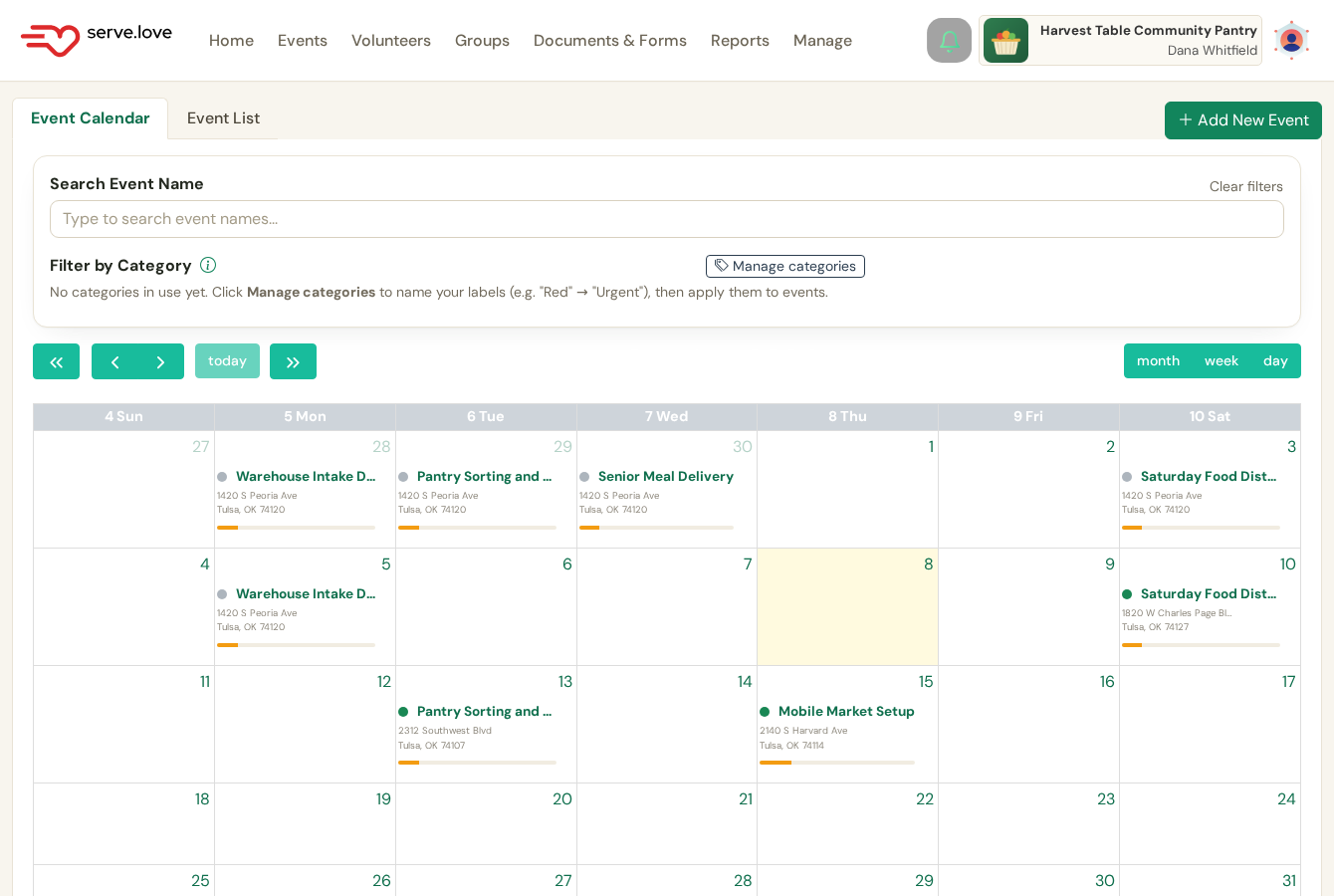
Your events, one place. A calendar and a list. The green Add New Event button starts a new one.
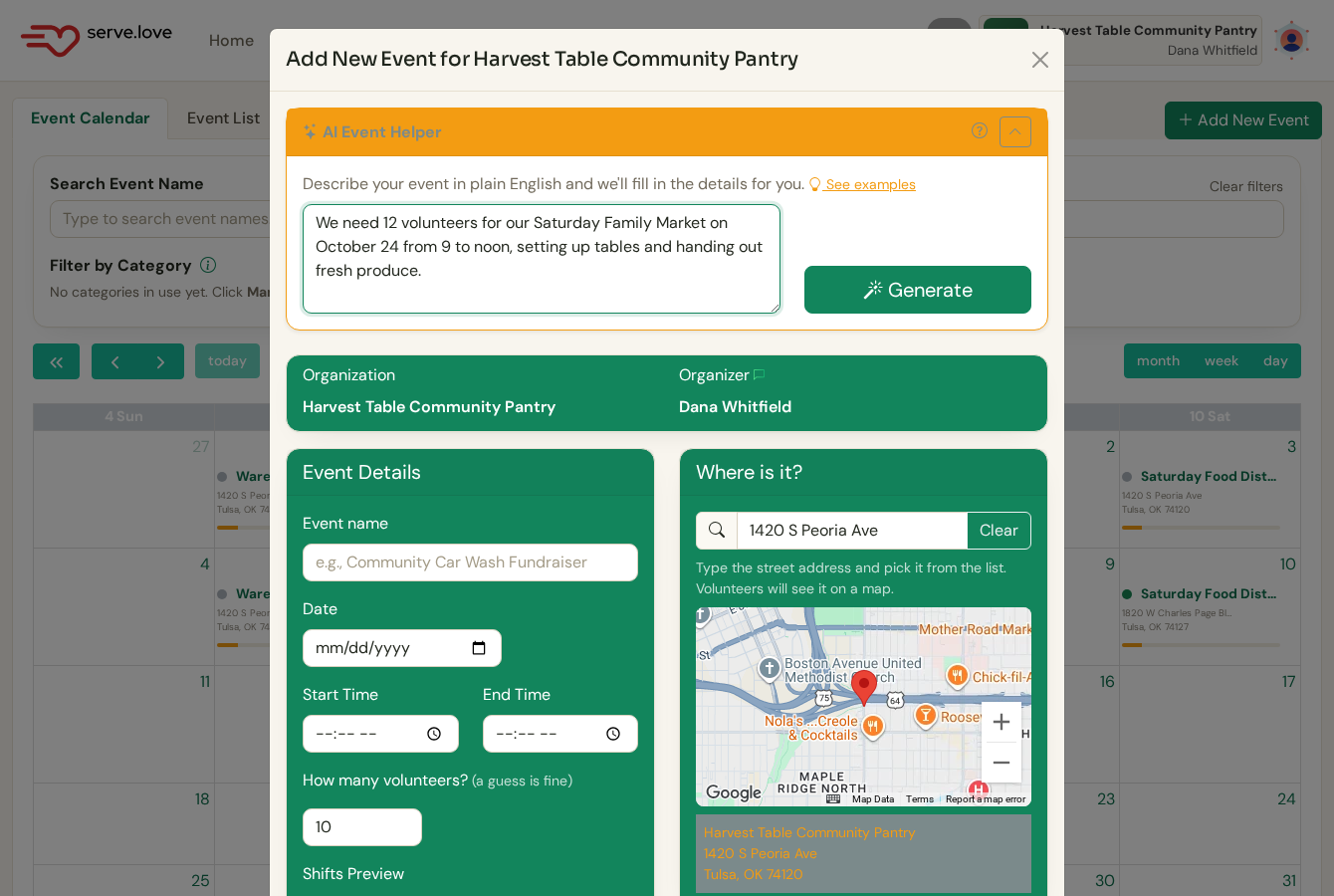
Describe it in plain English. The AI Event Helper takes a sentence like "12 volunteers for our Saturday Family Market, October 24 from 9 to noon, setting up tables and handing out fresh produce." Or fill the fields yourself.
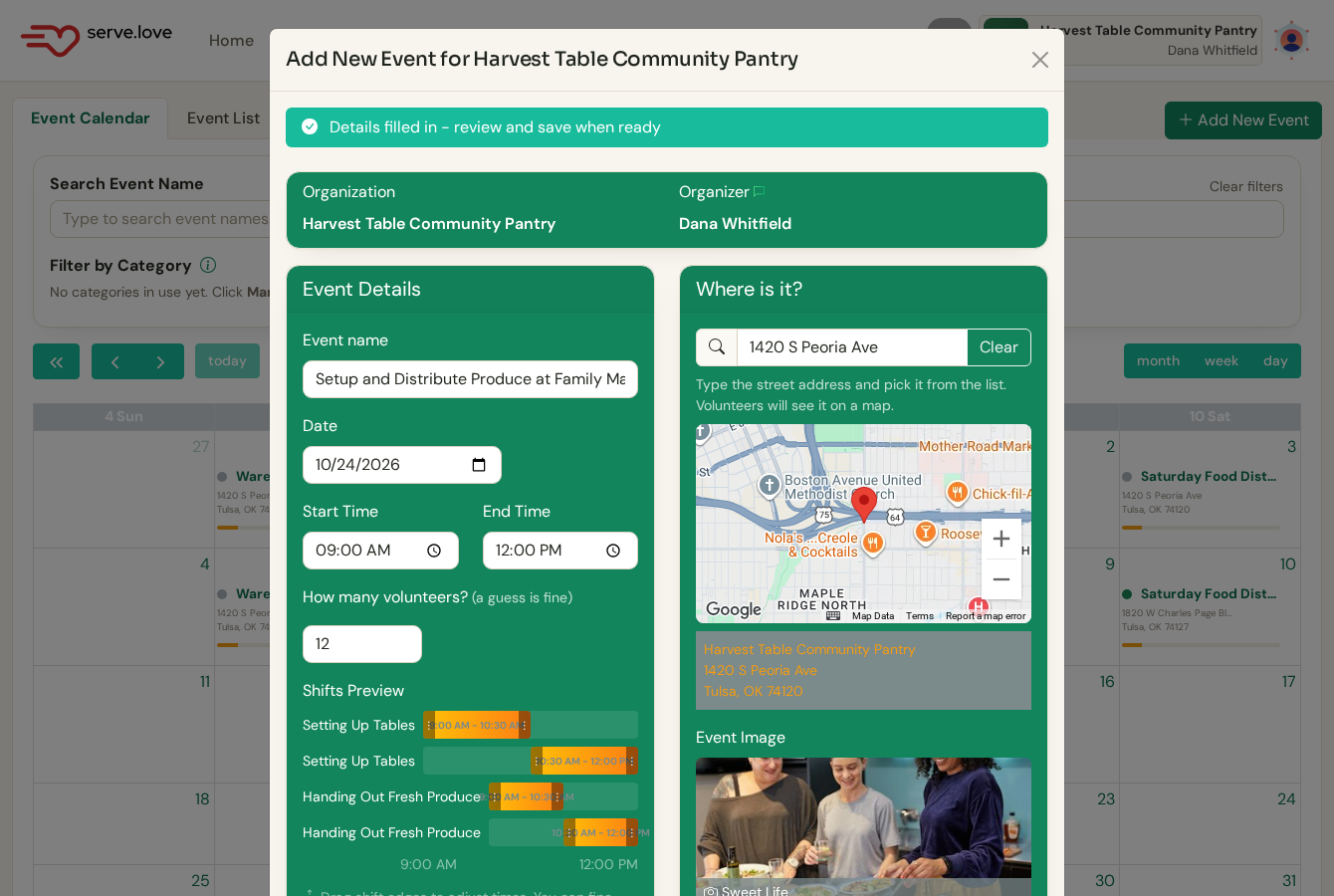
It fills in the rest. Name, date, times, volunteer count, and it splits the window into shifts. Review, tweak anything, and create.
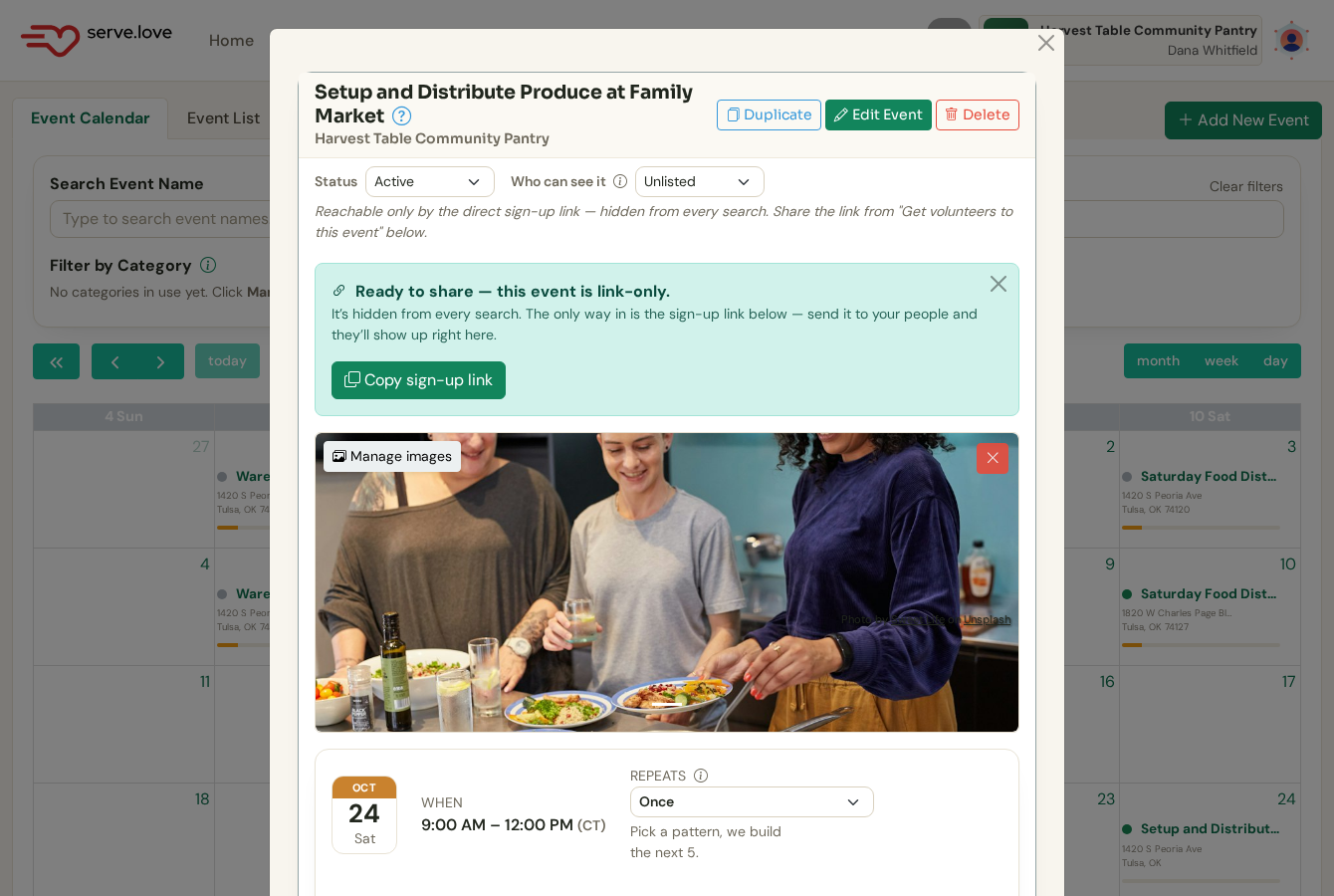
It is live. Keep it link-only (reachable by the sign-up link, hidden from every search), or list it publicly for the community to find.
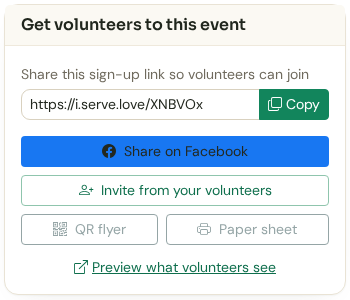
Get volunteers. Copy the sign-up link, share to Facebook, invite your existing volunteers, or print a QR flyer or a paper sheet.
A neighbor taps the link on their phone. No password, no app, no code to wait for.
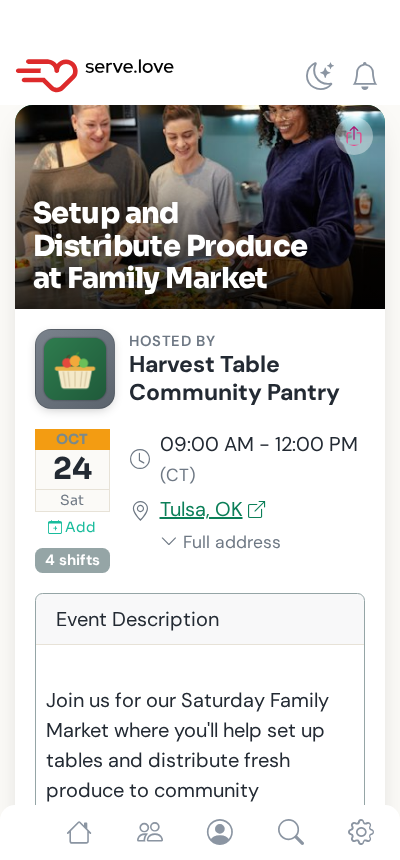
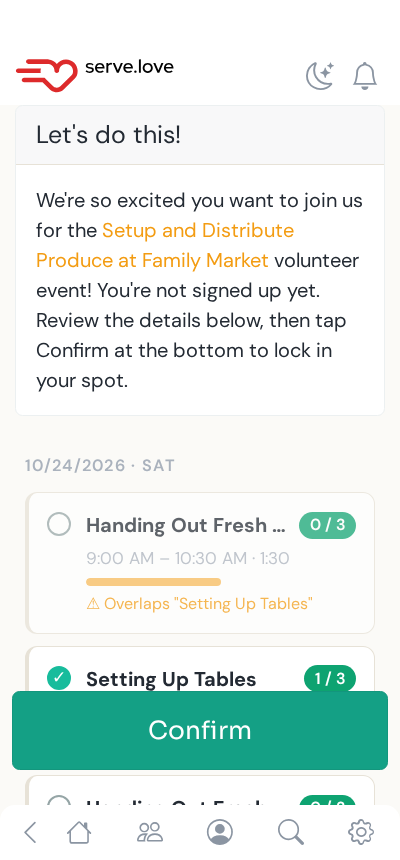
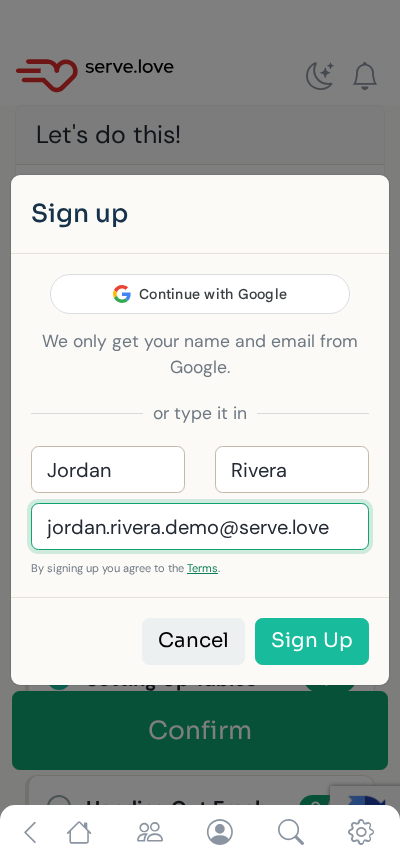
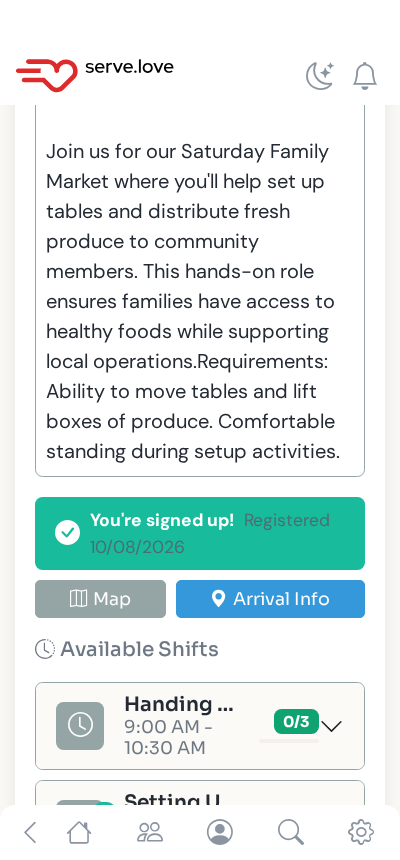
A clear "You're signed up" with a map and arrival info for the day. We email a confirmation too, with their shift and a way back in.
From a shared link to a confirmed volunteer, with nothing to install.
Low friction means more of the community shows up, not just the regulars.
Keep an event to a shared link, or list it for anyone nearby to find.
New volunteers, new donors, and church groups serving together, all from one link.
 Serve.Love