Serve.Love · Volunteers
Every person who signs up for one of your opportunities lands in one list, automatically. No spreadsheet to keep, no roster to update. Here is what that list gives you, and how to find and grow it.
The list fills itself as people sign up. It already shows how many hours each person has served and the last thing they worked, so you always know who your people are.
Sign-ups become volunteers here, with their hours and last event already counted.
Describe who you want in plain words and it becomes a filter.
Add one person by hand, or bring a whole list in from a spreadsheet.
Open Volunteers. Everyone who has ever signed up for one of your opportunities is here, one row each. You get their name, when they first joined, the hours they have served with you, and the last event they worked. The little badge on each photo shows how far along their volunteering journey they are.
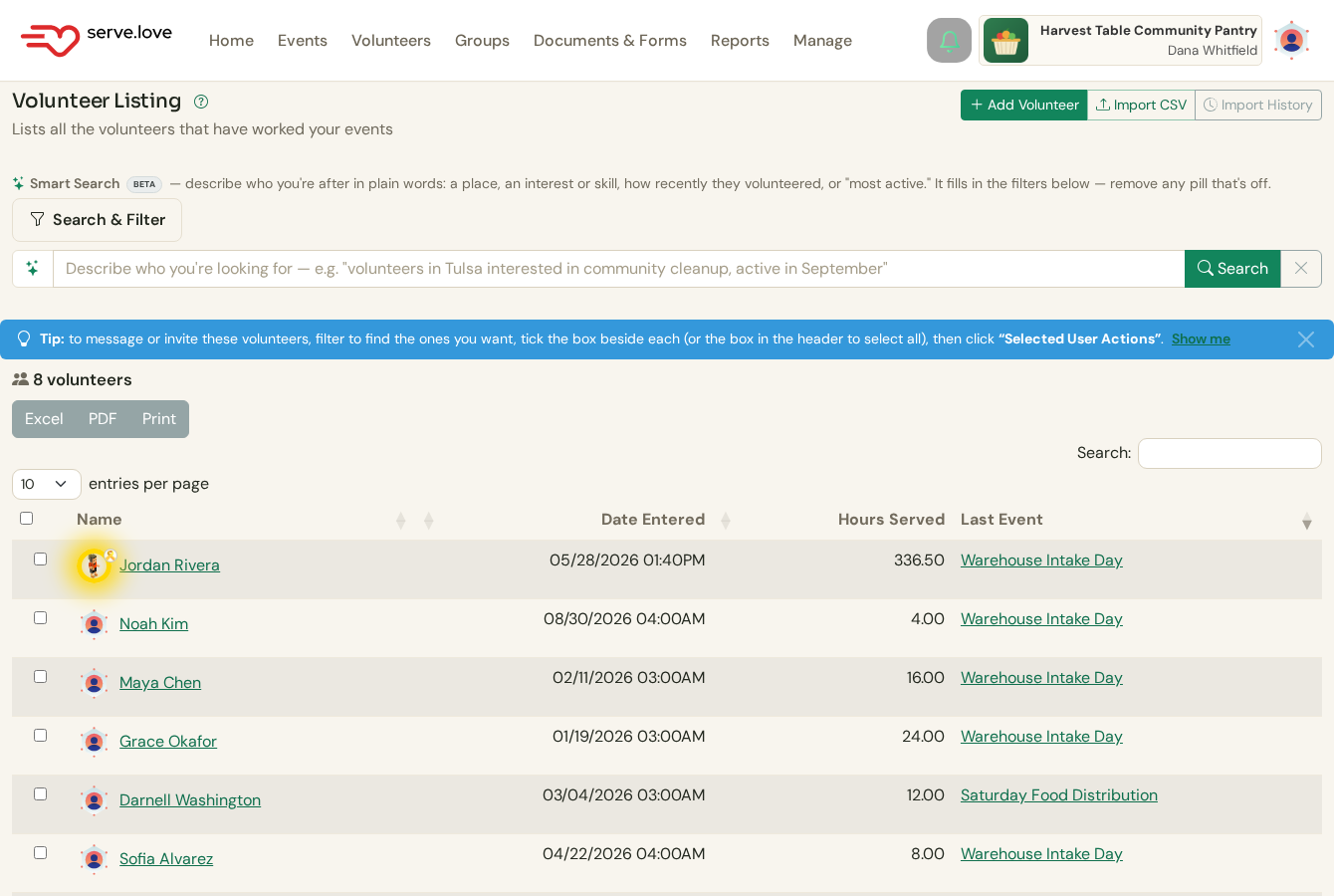
One row per volunteer. Hours Served and Last Event are kept current for you, nothing to tally by hand.
Dashboard › VolunteersType what you are looking for in plain English, the way you would say it out loud. Smart Search turns it into filters you can see and adjust. Ask for a city, an interest, how recently someone served, or your most active people, and it sorts the list to match.
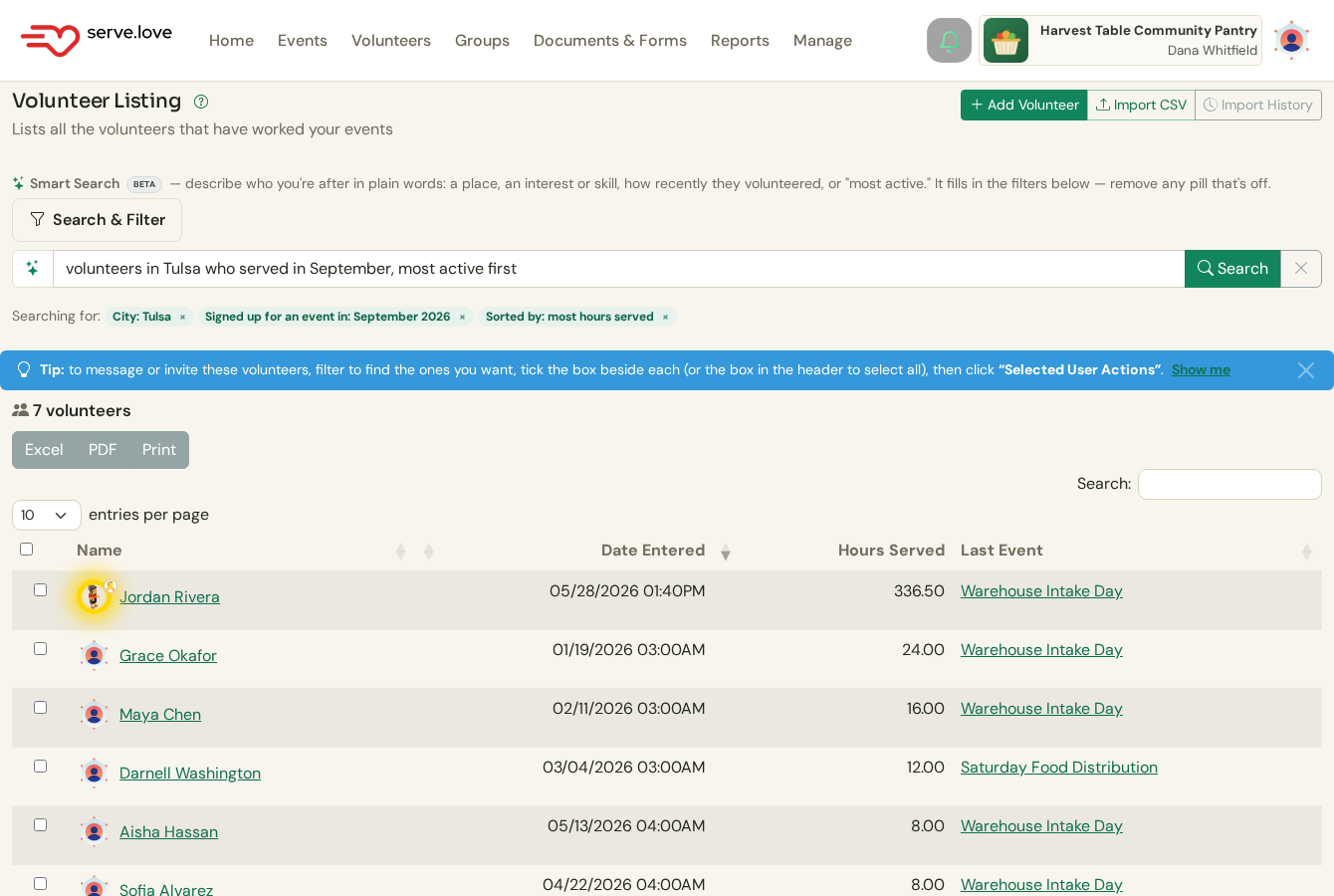
The sentence "volunteers in Tulsa who served in September, most active first" became these three filters. Remove any pill that is not what you meant.
Volunteers › Smart SearchYou do not have to wait for people to sign up. Click Add Volunteer to add someone by hand with just a name, or Import CSV to bring in a whole list from a spreadsheet. On an import, any extra column, like an interest or a background-check date, is saved as a tag on each person so you can filter by it later.
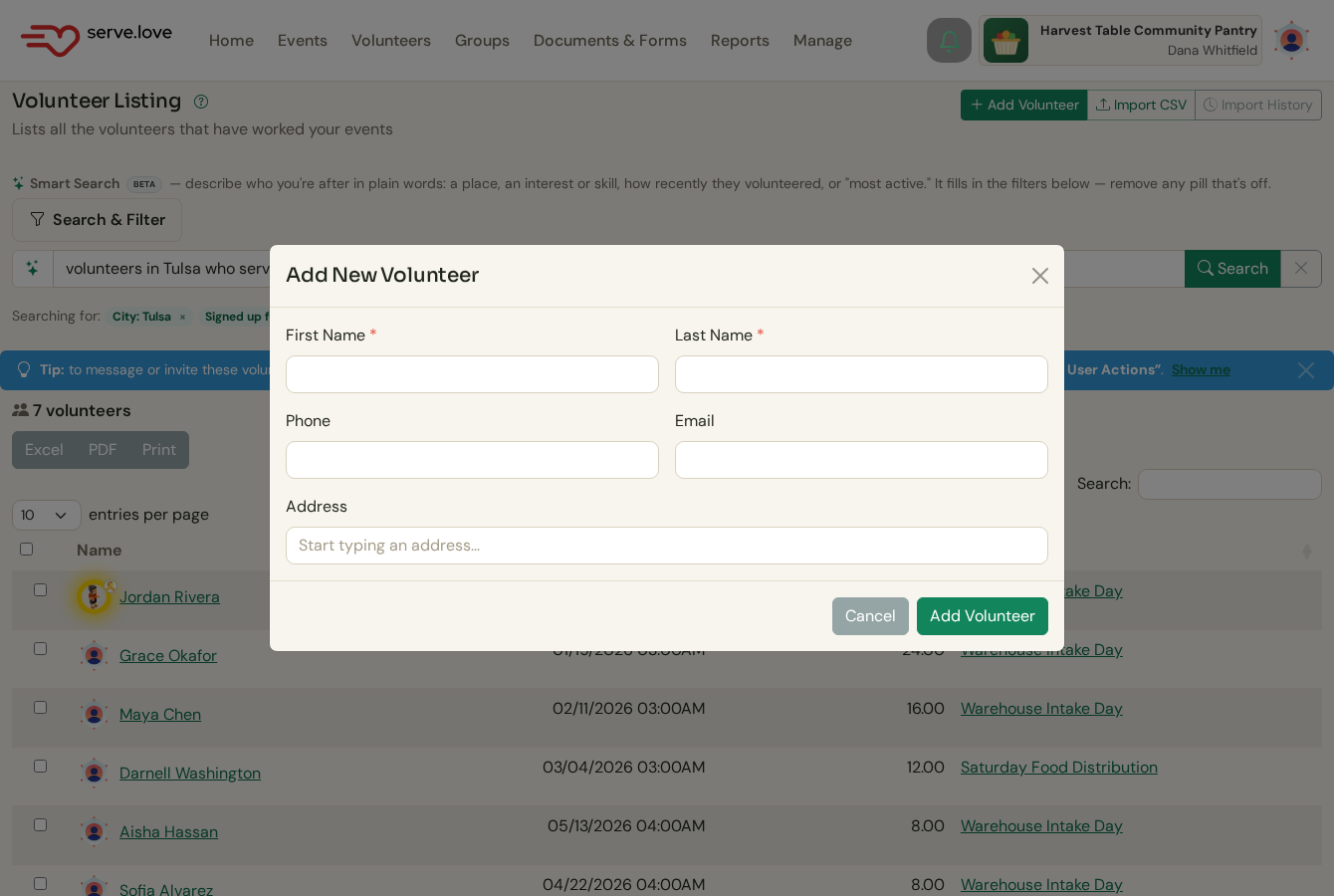
Add one by hand, or Import CSV for a whole list. Extra spreadsheet columns become searchable tags.
Volunteers › Add Volunteer or Import CSVThe list is where you start. From here you can reach people or dig into one.
Tick the box beside the people you filtered to, then use Selected User Actions to message them or invite them to your next opportunity.
Click any name to open their full profile: every event they have worked, their hours, certifications, tags, and your message history. See A volunteer's profile.
 Serve.Love