
Keeping Volunteers Coming Back: Communication Basics
Getting Started Guide
Getting volunteers to show up once is hard. Getting them to come back? That’s where most organizations struggle.
The secret isn’t more work for you—it’s automatic communication that makes volunteers feel valued without adding to your plate. Serve.Love handles this in the background while you focus on your mission.
Automatic + Easy Manual Touchpoints
The best retention strategy combines automatic messages (so you never forget) with quick manual recognition (so it feels personal).
1. Post-Event Thank-You + Survey
After a volunteer checks in to an event, they automatically receive a thank-you email with an optional feedback survey. One message that does double duty: shows appreciation and collects insights.
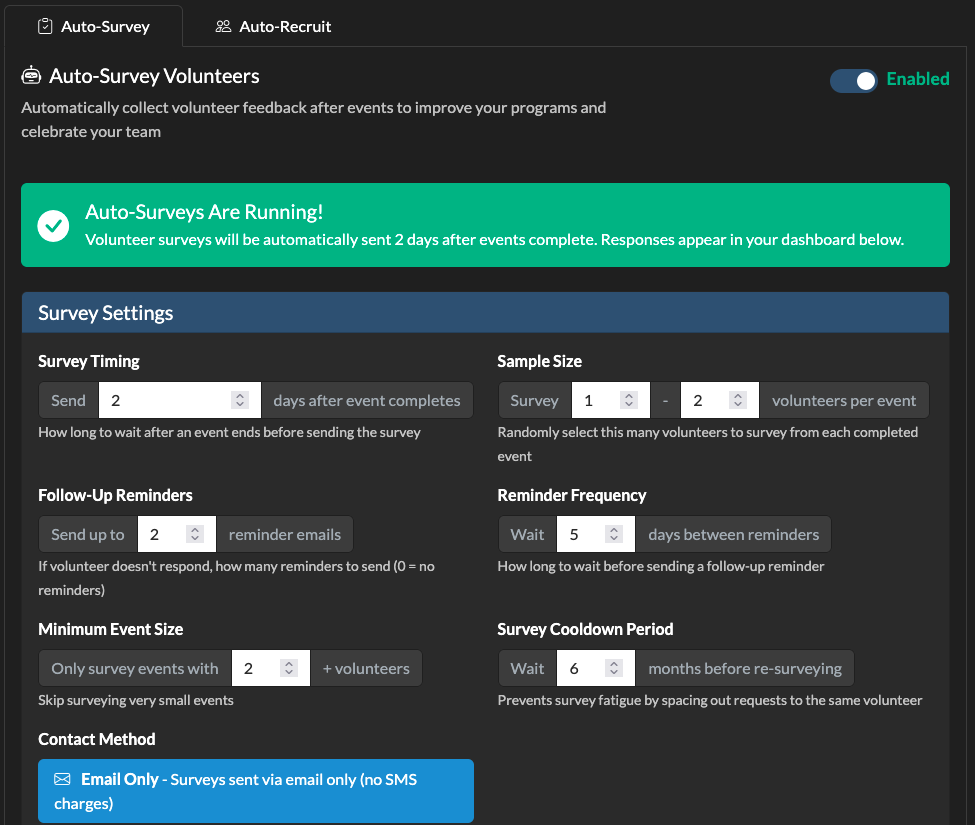
The email thanks them for volunteering, confirms their hours, and asks for quick feedback. A simple “thank you” sent within 24 hours dramatically increases the chance a volunteer returns—and you get valuable insights at the same time.
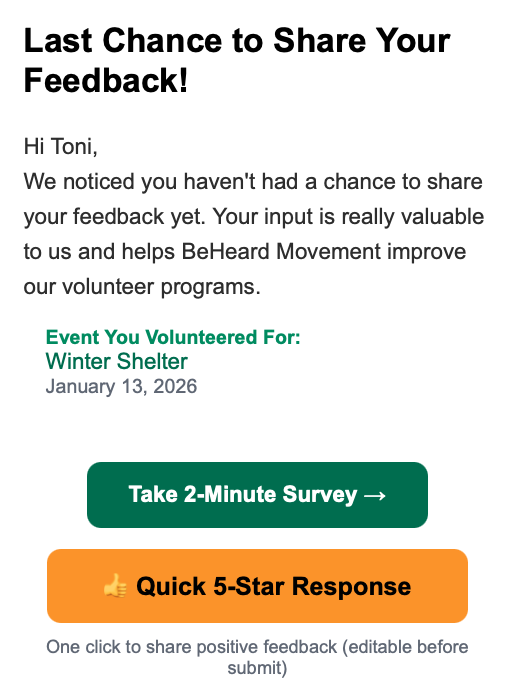
Survey responses are collected and available in your dashboard. Look for patterns—if multiple volunteers mention the same issue, that’s your cue to fix it.
2. Monthly Volunteer Summary Report
Want to recognize your top contributors? The Monthly Volunteer Summary report shows you who’s been active, how many hours they’ve contributed, and who deserves a shout-out.
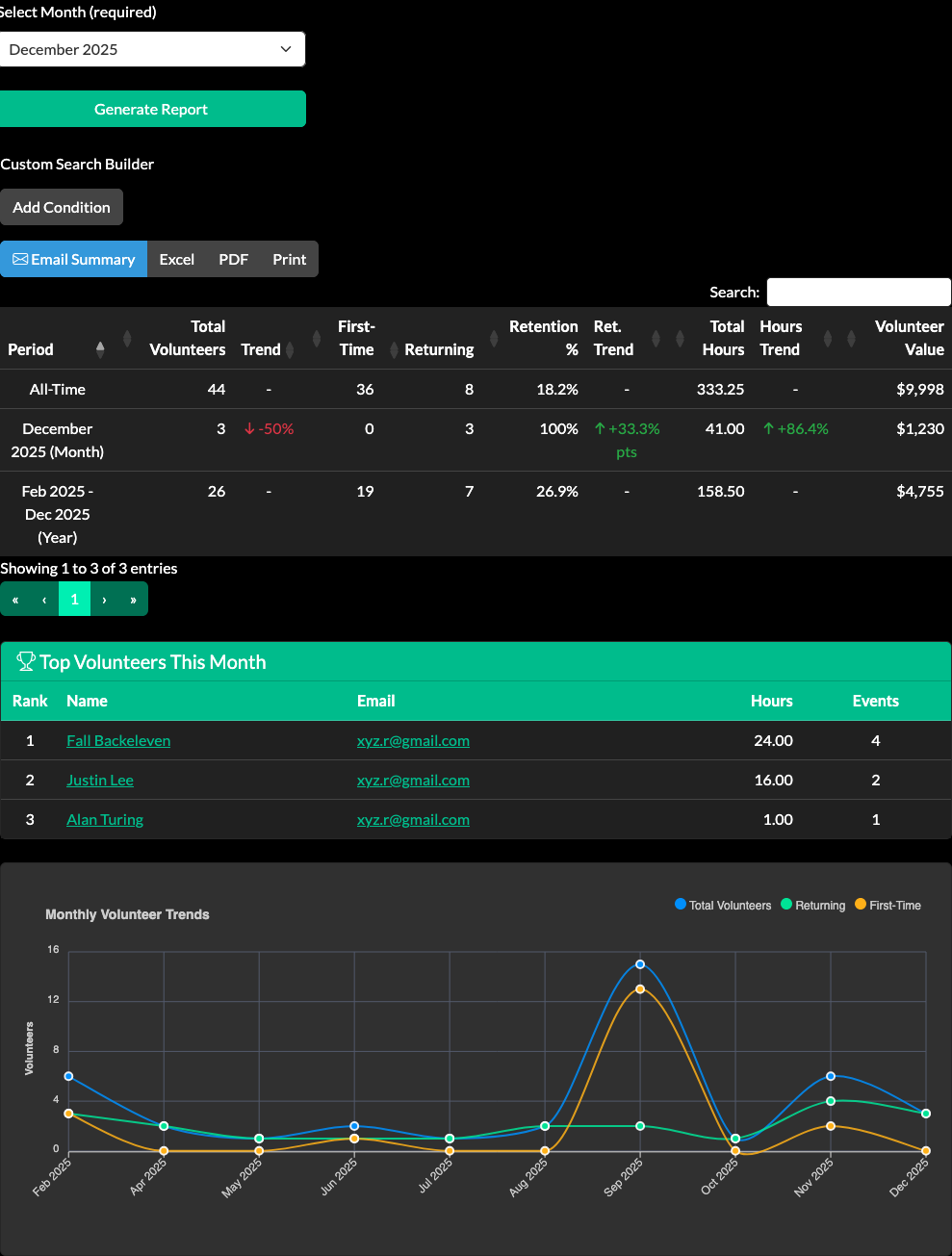
Use this report to:
- Spot your MVPs – See who’s contributing the most hours
- Plan recognition – Identify volunteers to thank publicly or reward
- Track trends – Notice if participation is growing or dropping
- Prepare board reports – Quick stats on volunteer engagement
When You Want to Reach Out Directly
Automatic messages handle the routine stuff. But sometimes you need to reach volunteers yourself—announcing a new program, sharing a success story, or recruiting for a specific event.
The Volunteers Tab
Your Volunteers tab is home base for direct outreach. Search and filter to find exactly who you want to contact:
- Volunteers who attended a specific event
- People within a distance radius of your event location
- Everyone with a particular skill or interest
- Filter by tags you’ve assigned
- Search by name, email, or phone
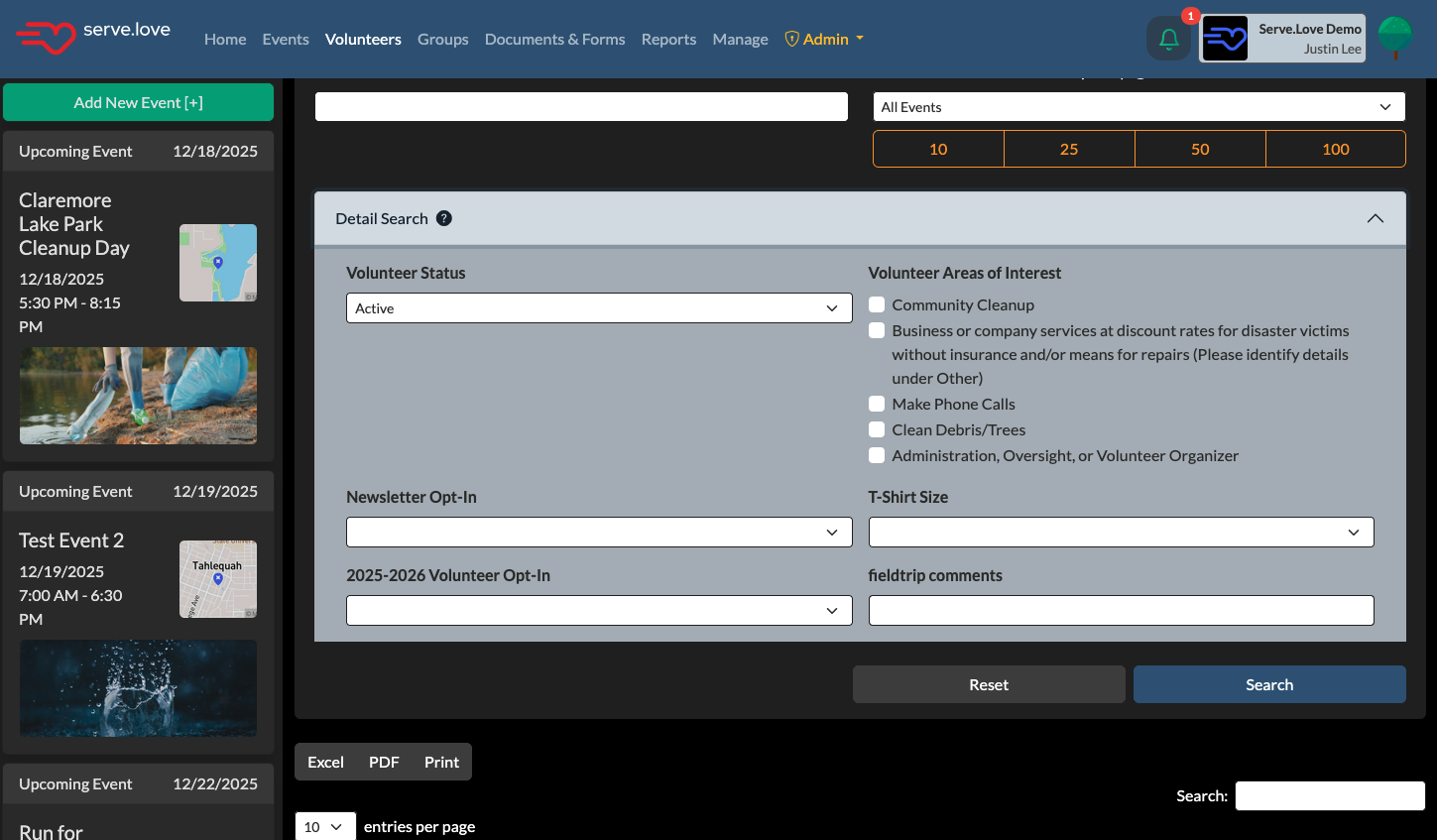
Select the volunteers you want, then use Selected User Actions to send a message, email, or export their contact info.
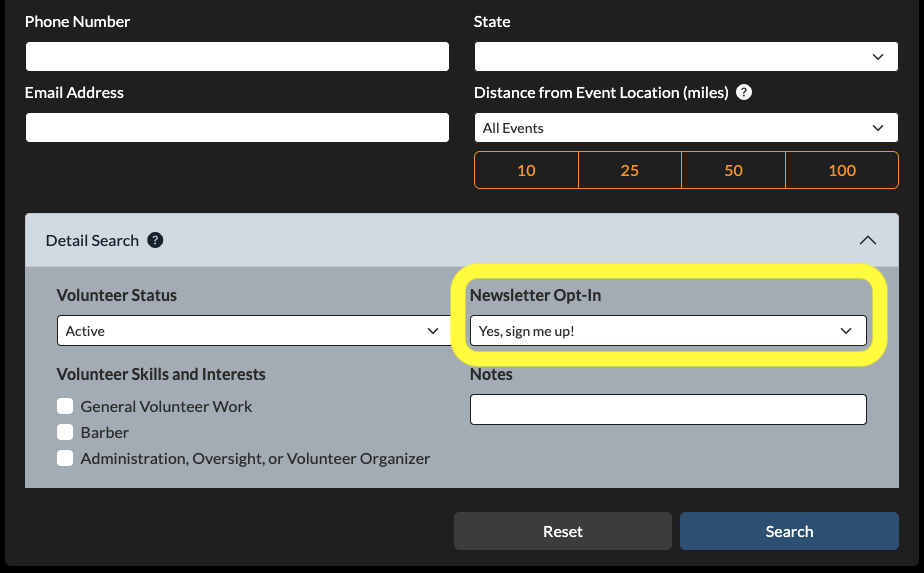
Newsletter Broadcasts
For organization-wide updates, use the newsletter feature to reach all your volunteers at once. Great for:
- Monthly or quarterly updates
- Announcing new volunteer opportunities
- Sharing impact stories and successes
- Holiday messages or special recognition
The 80/20 Rule of Volunteer Communication
Here’s what works: 80% automatic, 20% personal.
Let the system handle thank-yous, surveys, and monthly summaries. Save your personal outreach for moments that matter—welcoming new volunteers, recognizing milestones, or sharing big wins.
Volunteers don’t need to hear from you constantly. They need to feel valued when they do hear from you. Automatic communications maintain the relationship; personal touches deepen it.
Quick Setup Checklist
Make sure this is enabled in your organization settings:
- ☐ Post-event surveys (includes thank-you email)
Once enabled, every volunteer who checks in gets an automatic thank-you—zero effort from you.
Then make it a habit to run the Monthly Volunteer Summary report and recognize your top contributors. A little appreciation goes a long way.
Getting Started Guide — Part 4 of 5
← Previous: Day-Of: Helping Volunteers Find You
→ Next: Promoting Your First Event: Getting Volunteers to Sign Up