
Promoting Your First Event: Getting Volunteers to Sign Up
Getting Started Guide
Your event is set up and ready. Now you need volunteers to actually find it and sign up.
The good news: you don’t need a marketing budget or a social media team. You have multiple channels ready to go—some you control, and some that work automatically in the background.
Your Promotion Toolkit
1. Share Your Event Link
Every event has a shareable link. This is your most versatile tool—works anywhere you can post or send a URL.
Find it in the Actions panel on your event detail page:
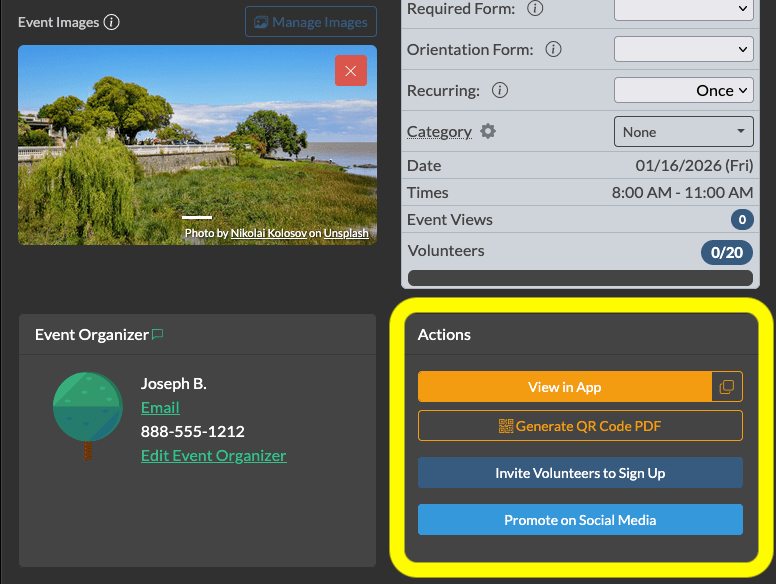
Copy and paste your link into:
- Email newsletters
- Facebook, Instagram, LinkedIn, X posts
- Text messages to your contact list
- Slack, Discord, or group chats
- Partner organization communications
The link takes people directly to your event where they can see details and sign up immediately. No account required for them to view it.
2. Facebook Promotion
Serve.Love has built-in Facebook sharing that makes posting easy. From your event, click Share to Facebook in the Actions panel.
This creates a formatted post with:
- Your event title and description
- Date, time, and location
- A link directly to the signup page
- Your event image (if you added one)
Post to your organization’s page, community groups, or your personal profile. Facebook’s algorithm favors events and volunteer content—it often gets good organic reach.
3. Embed Events on Your Website
Already have a website? Embed your events directly so visitors can browse and sign up without leaving your site.
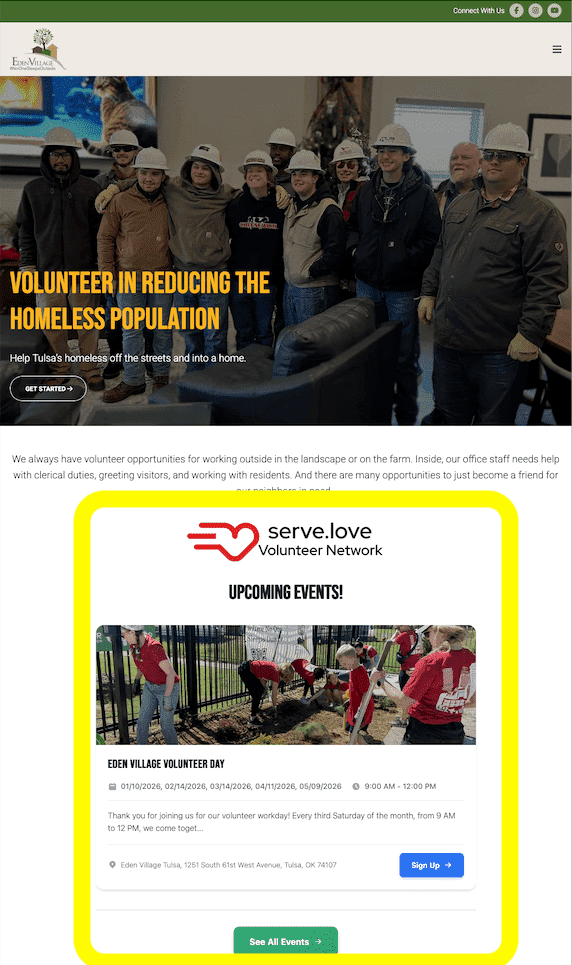
The embed widget shows your upcoming events in a clean, mobile-friendly format. When someone clicks an event, they can sign up right there.
For your webmaster: Add this code where you want events to appear:
<!-- Serve.Love Event Widget -->
<div class="serve-love-events" data-org-id="YOUR_ORG_ID"></div>
<script src="https://api.serve.love/site-plugins/volunteer-events.js"></script>
Replace YOUR_ORG_ID with your organization ID (find it in your Serve.Love dashboard URL).
Works with WordPress (HTML block), Squarespace (Code Block), Wix (HTML embed), or any site that allows custom HTML.
View full documentation and advanced options →
4. Printed QR Codes
QR codes bridge the physical and digital world. Someone sees your flyer, scans with their phone, and lands on your signup page instantly.
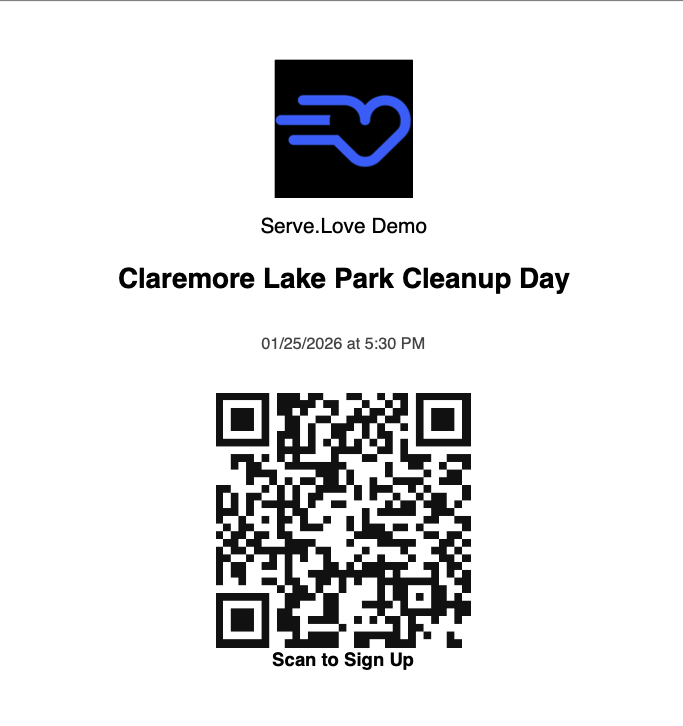
Generate a QR code from the Actions panel (shown above). Use it on:
- Flyers and posters
- Church bulletins or newsletters
- Table tents at community events
- Business cards you hand out
- Banners at your location
Pro tip: Print a few QR codes and keep them handy. When someone asks “how can I volunteer?”, hand them one.
5. Automatic Recruiting (We Do This For You)
Here’s the part that works while you sleep: Serve.Love automatically lists your public events in our volunteer directory.
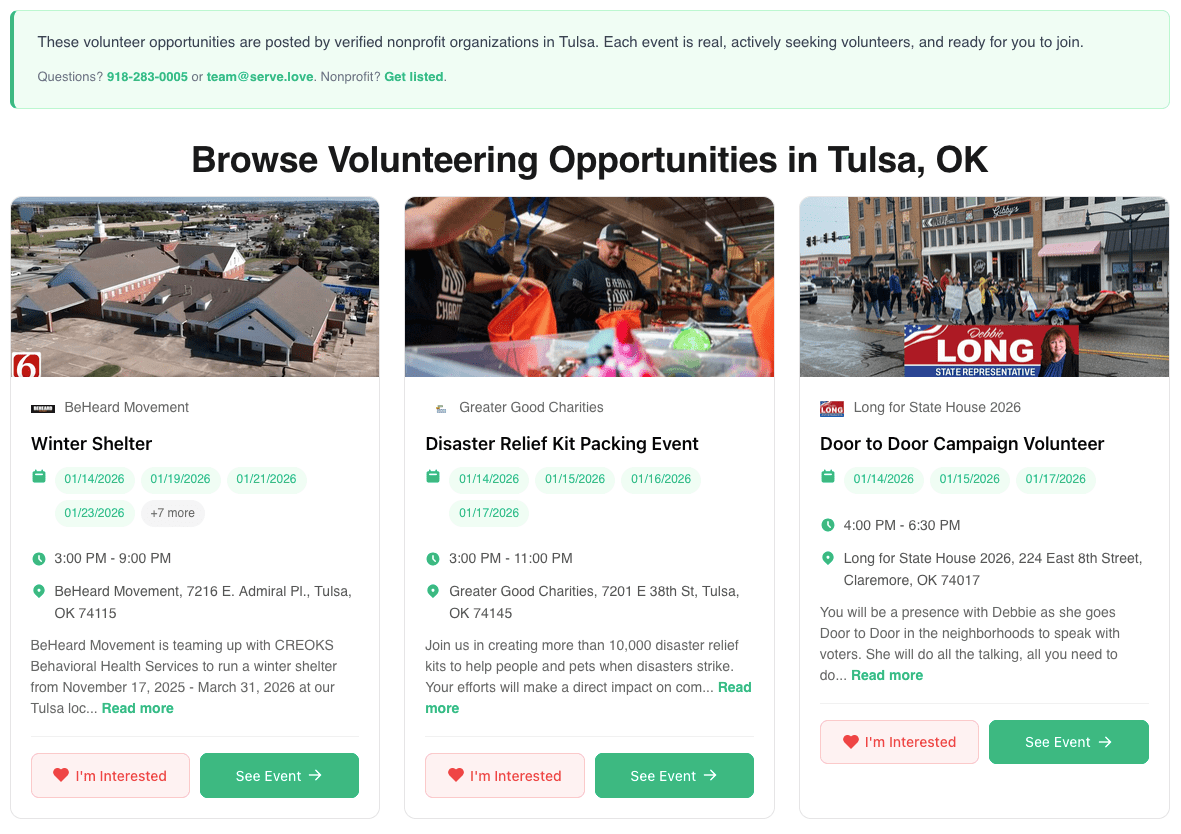
When someone in your area searches “volunteer opportunities near me,” your events can appear in the results. No extra work from you—just make sure your event visibility is set to Public.
We also create SEO-optimized pages for volunteer opportunities by city and by organization. These pages rank in Google and drive traffic to your events over time.
This won’t flood you with signups overnight, but it creates a steady trickle of new volunteers who discover you through search.
Which Channel Works Best?
It depends on your situation:
| If you have… | Focus on… |
|---|---|
| An email list | Direct link in email newsletters |
| Active social media | Facebook sharing + link posts |
| A website with traffic | Embedded event widget |
| A physical location | Printed QR codes everywhere |
| None of the above | Rely on automatic recruiting + word of mouth |
Most organizations use a mix. Start with the easiest channel for you, then expand as you see what works.
Your First Promotion Checklist
- ☐ Copy your event link
- ☐ Post to at least one social media channel
- ☐ Email your existing contacts or newsletter list
- ☐ Print a QR code for your location (if applicable)
- ☐ Verify event visibility is set to Public
Don’t overcomplicate it. One post, one email, one QR code. See who signs up. Adjust for next time.
What Happens When Someone Signs Up
Once volunteers start finding your event, Serve.Love handles the rest:
- They receive a confirmation email immediately
- They get reminders 24 hours and 1 hour before
- You see them in your volunteer list
- You can message them anytime through the platform
Your job is to get them to the signup page. We’ll take it from there.
Getting Started Guide — Part 5 of 5
← Previous: Keeping Volunteers Coming Back: Communication Basics
That’s it—you’ve completed the Getting Started Guide! You now know how to set up events, help volunteers find you, and keep them coming back. Questions? Reach out anytime.